 User Guide
Format Painter
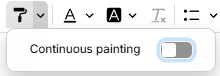
The Format Painter is a feature in text notes that allows users to copy the formatting of text (such as bold, italic, Strikethrough, etc.) and apply it to other parts of the document. It helps maintain consistent formatting and accelerates the creation of rich content.
Usage Instructions#
Click the text that you want to copy the formatting from and use the paint formatting toolbar button ( ) to copy the style. Then select the target text with your mouse to apply the formatting.
- To copy the formatting: Place the cursor inside text with some formatting and click the paint formatting toolbar button. The mouse cursor changes to indicate the painter is armed.
- To paint with the copied formatting: Select the target text with your mouse. The formatting is applied when you release the button, and the painter disarms — the cursor returns to normal.
- To cancel without painting: Click the toolbar button again or press Escape.
Limitations#
- Painting with block-level formatting (like headings or image styles) is not supported yet. This is because, in CKEditor, they are considered a part of the content rather than text formatting.
- The painter applies to a selection, not to a word: clicking a single word does not format it. A click only primes the caret, so text you type there takes the copied formatting.
- The painter is one-shot; each paint requires copying the formatting again.